Obsidian for Learning
I often daydream of what my university life might have been, if only I had access to a tool like Obsidian: A powerful knowledge platform and second brain that acts like a force multiplier to everything I do today.
What could I have learned?
How fast could I have learned it?
I can't turn back time, but I can do the next-best thing:
I can teach YOU, dear viewer, how to use this tool to learn way faster than your peers, master technical and artistic subjects, and organise your life to do everything you want, without burning out.
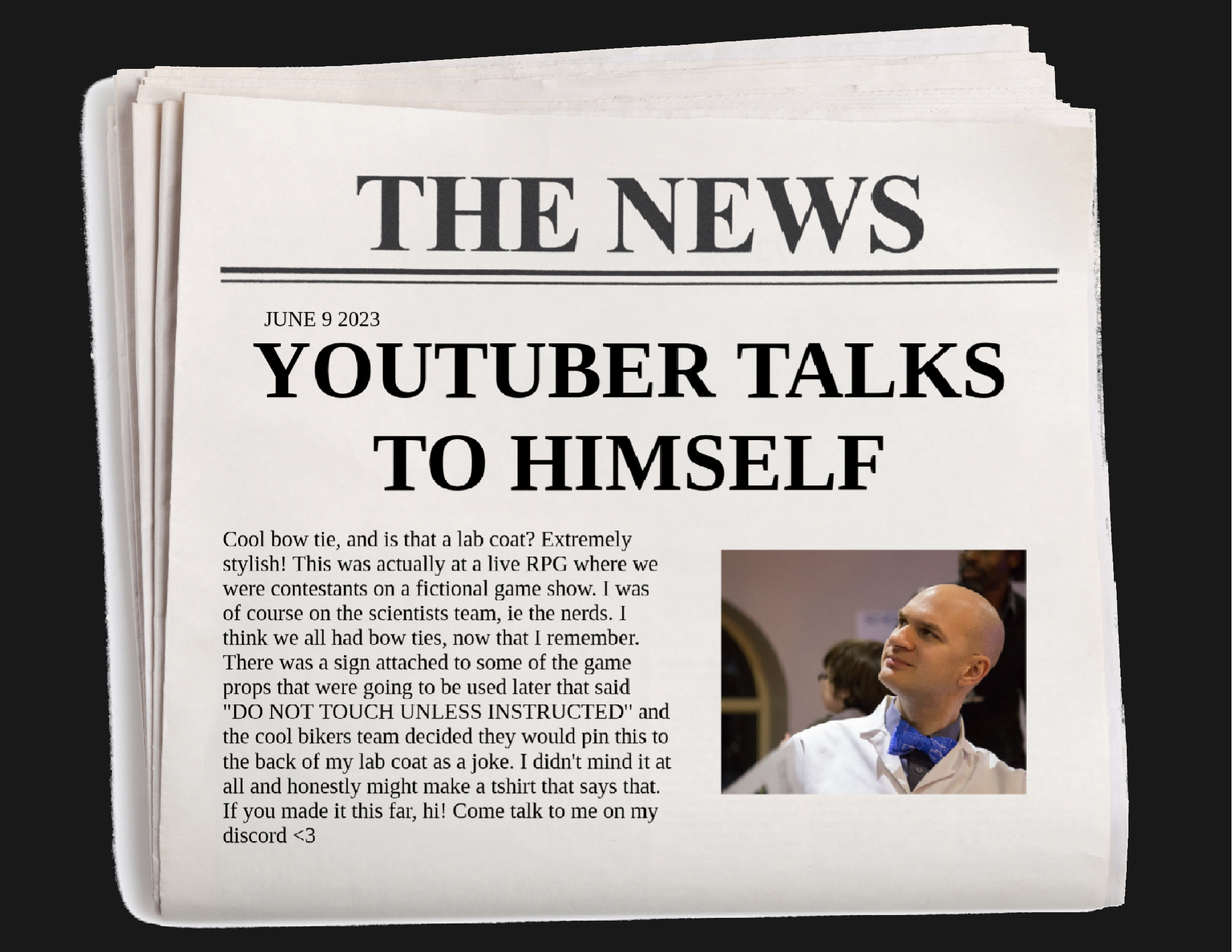
My "Coping Mechanisms" video was 2 years ago, if you can believe it[1]
Hello past Tris, it's me again, Future Tris. You're still spending all my money, I see. Good for you.
I talked to you 2 years ago, June 9, 2023 in my time, about my coping mechanisms[1:1], remember that?
I bet you don't, you were probably playing Unreal Tournament or Morrowind. (You're gonna love the sequel, Oblivion, by the way)
Make sure you've refreshed your memory of that advice, I'm going to put half of it into practice today.
Also buy nVidia stock, don't sell those bitcoins in 2015, and if you don't want RSI ruining your good time, you'd better get used to lifting weights sooner rather than later.
Let's crack on.
PART 0: ADVANCED OBSIDIAN USAGE
[[Links]]Are thekey#tagscut across boundariesSearch, don'tsortNever don't be linkingBookmarkeverythingJumpexactly where you want to go- Mice are
allergicto Obsidian
In 20 seconds, here's how to use Obsidian for everyday, above-average note-taking:
- Start with a single note, don't worry about folders or categorisation
- Create links to topics you've not researched yet
- Use Tags to group parts of your nascent constellation together
- Build saved searches to keep track of notes, modules, classes, and subjects
- Bookmarks are your friend, fly around your second brain at the speed of light.
- Learn the hotkeys and build your own
If you have 20 minutes rather than 20 seconds, watch my 2 previous videos on Obsidian then come back here for the advanced course.
LINKS ARE THE KEY
# Links Are The Key

- [[School]]
- [[Social]]
- Quantum Mechanics
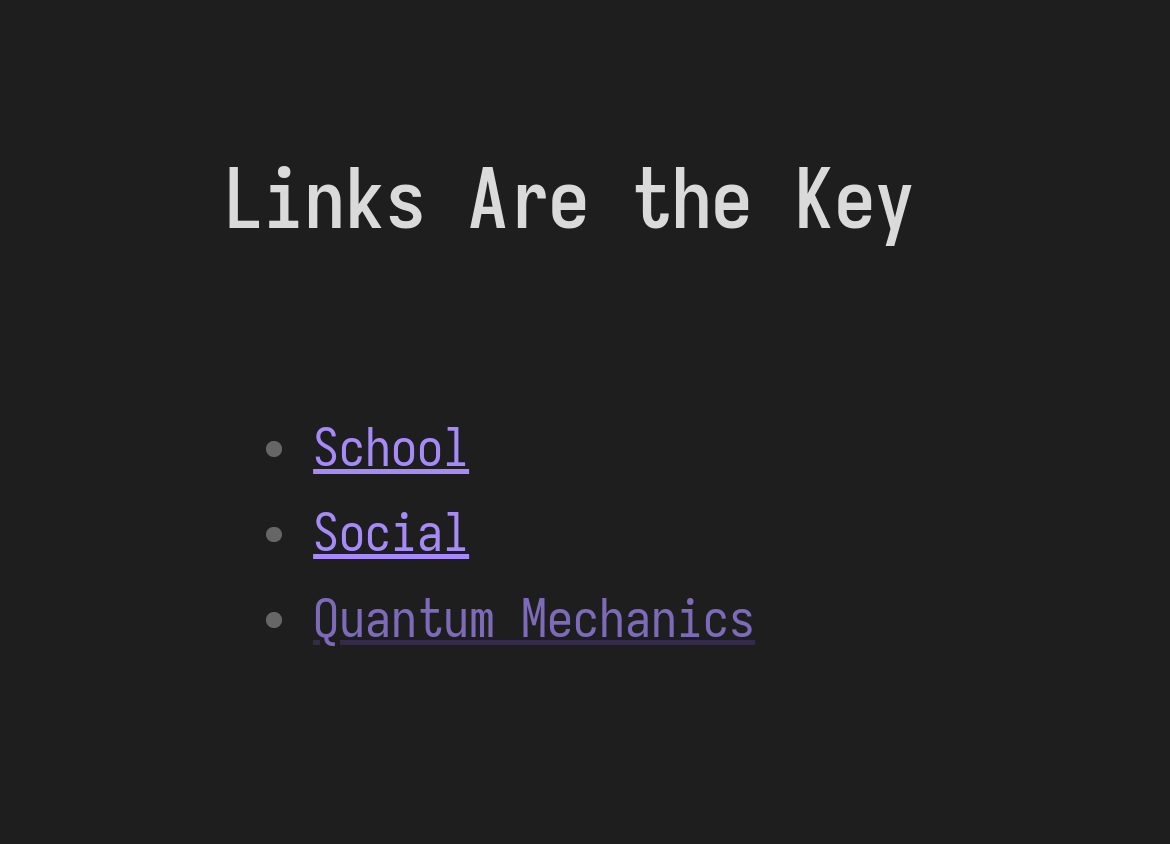
The foundation of every obsidian system is links.
In Obsidian, you link to pages by surrounding them with [[square brackets]] such as: School or Social.
If the page doesn't exist (like Quantum Mechanics) Obsidian will dim the link, but it will also index it and allow you to autocomplete future links to this as-yet uncreated page.
If you follow the link, Obsidian CREATES that page, and now all those other links are real.
This is very handy while you're building notes on a wide subject area that you know you will want to drill down into subsections, you can easily see where gaps in your knowledge are later on.
LINKING HAPPENS ORGANICALLY
Mike Schmitz On YouTube[2]
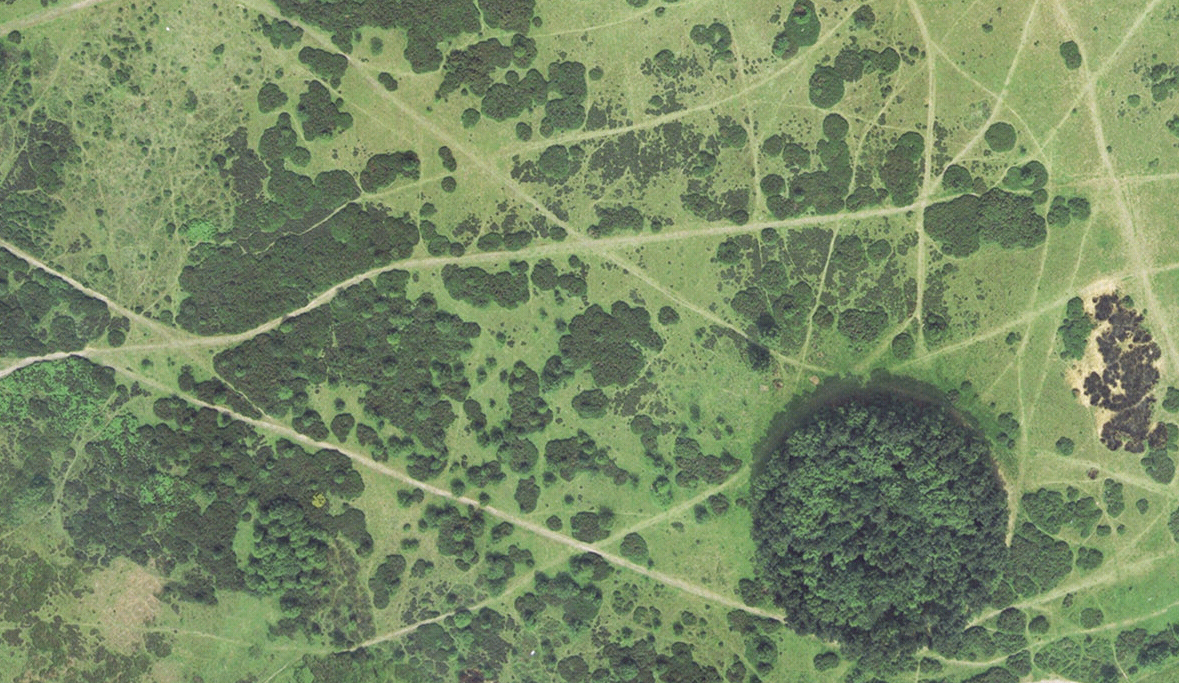
Fellow YouTuber, Mike Schmitz, says that in a mature second brain, links become like desire lines - paths worn into the grass showing where people often walk.
This idea of mental desire lines is the subject of the beautiful song, "Let The Path Grow Over", written by my friend John Callaghan, and I quote:
"Let The Path Grow Over" by John Callaghan[3]
The mind can be thought of as a field.
The most frequently-travelled routes leave paths along the grass and likewise in our mental make-up.
These routes are a map of our emotional destinations.
They indicate that the territory they lead us to is a familiar destination.
The deeper and clearer the path, the more frequently it's taken and the easier it is to go.
In town planning, these are called 'desire lines'.
But often with the mind the journeys taken are not desired.
Go listen to the full song, it's amazing
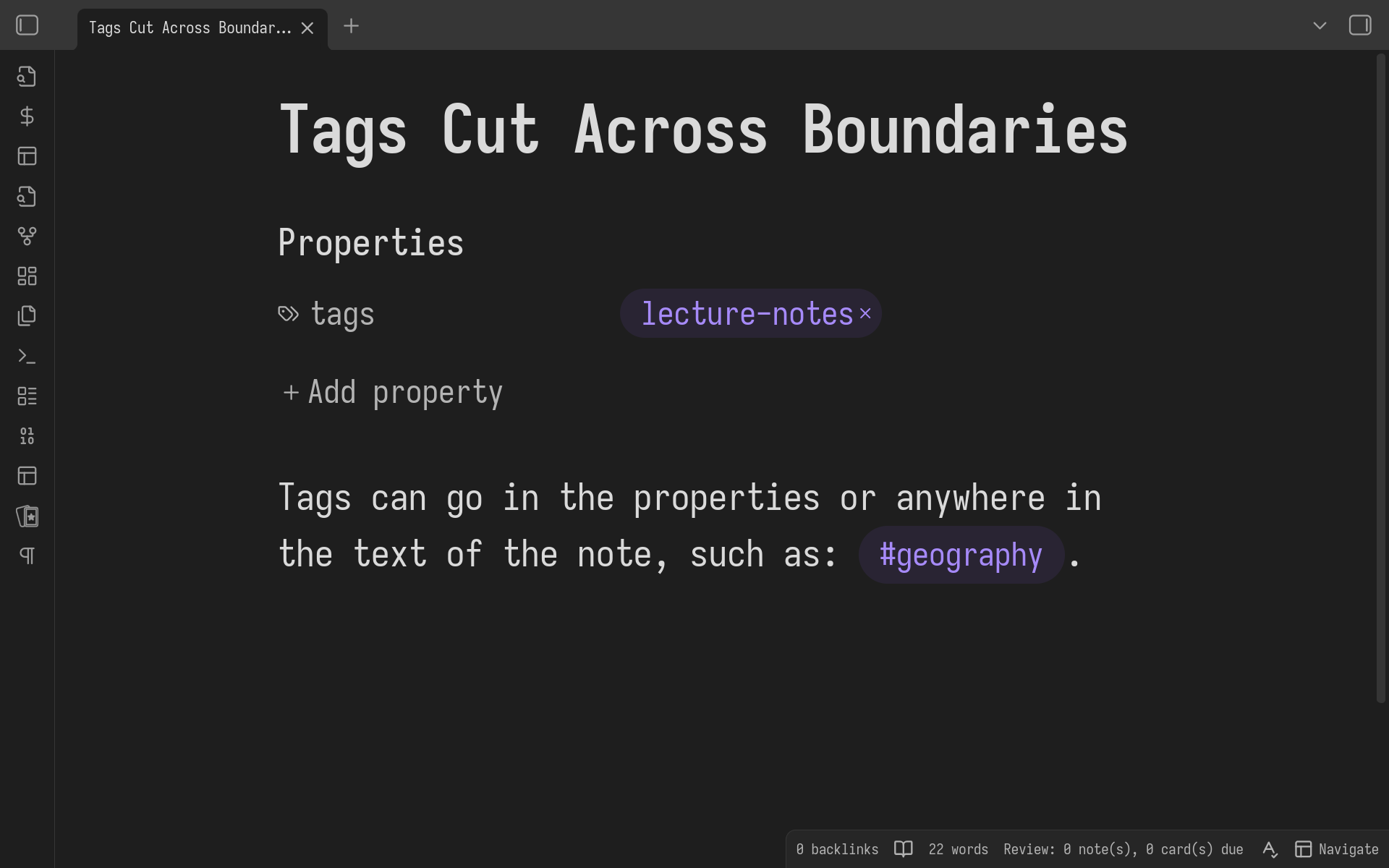
If you want to break out of your well-organised constellation of notes - perhaps to see all lecture notes you've taken across all subjects - tags, not folders, are the way to do it.
I've made a whole video explaining my dislike of using folders in Obsidian[4] I won't repeat myself here.
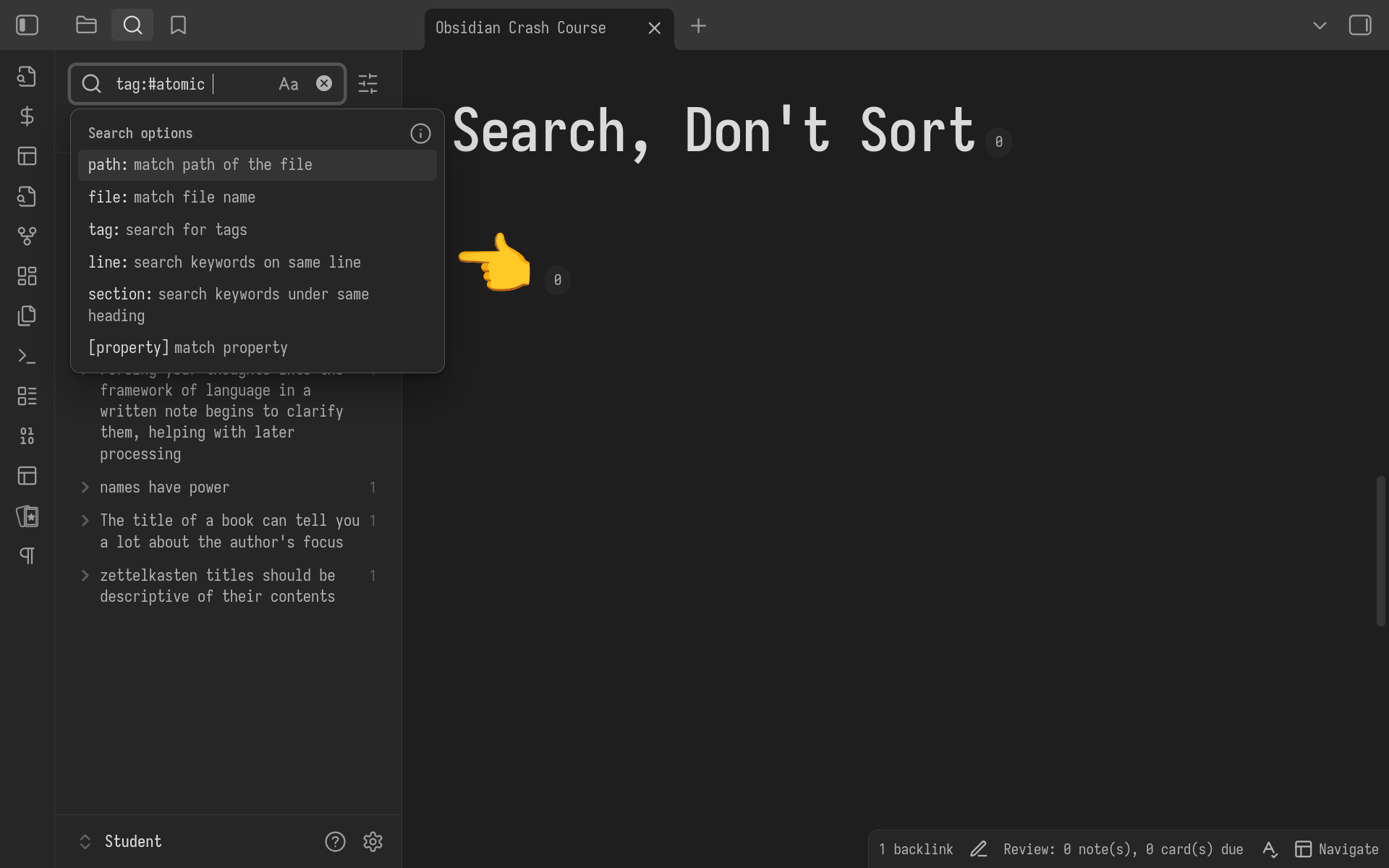
Obsidian's search is SUPER POWERFUL, allowing you to find notes by any combination of:
- file name or path
- tag
- keywords on the same line
- keywords in the same heading
- property metadata
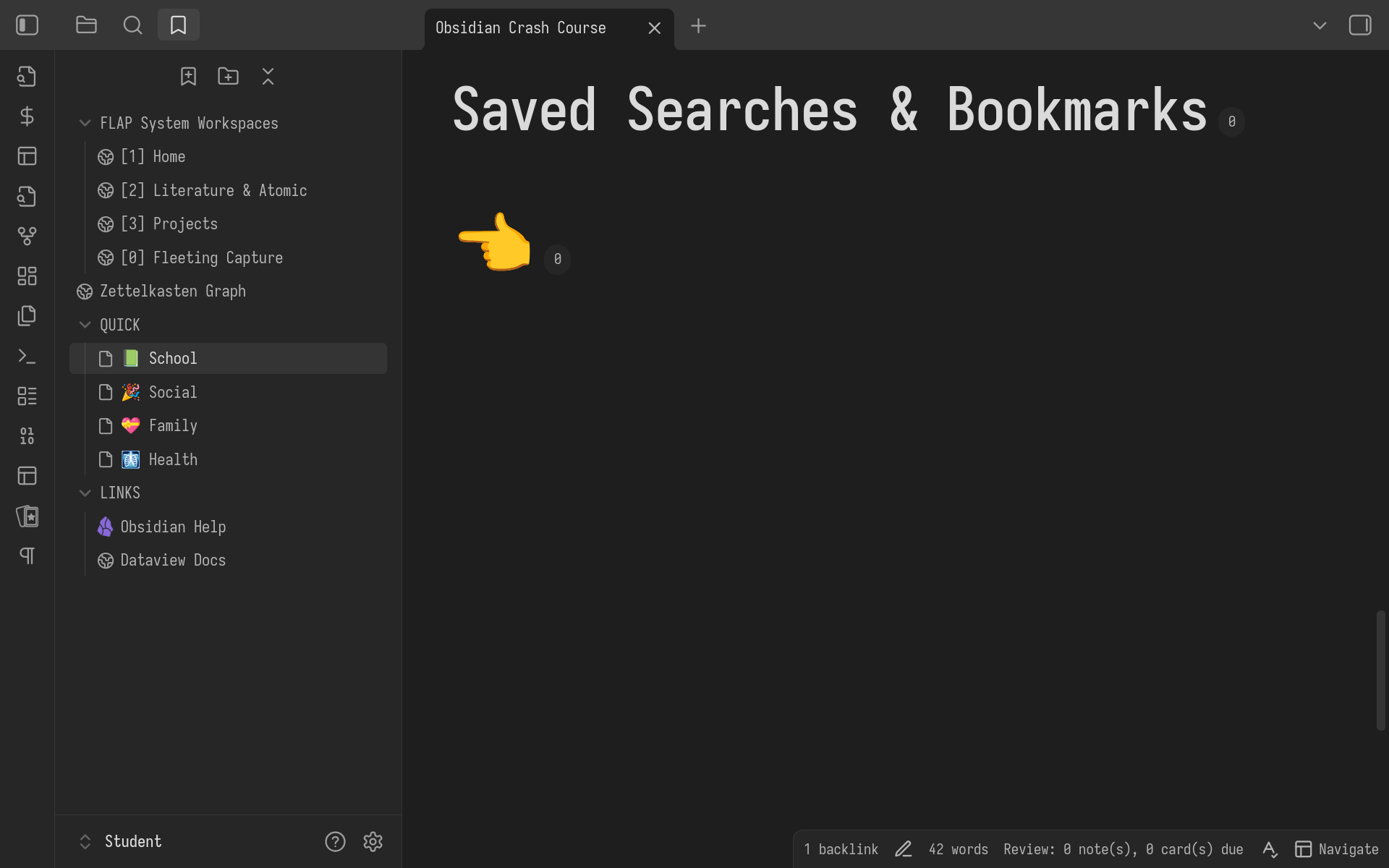
If you ever do something twice, automate it. That's good general life advice actually, past Tris.
If you keep searching for the same files again and again, use Obsidian's powerful bookmarks feature.
It's not just for saved searches, you can bookmark:
- Files, either singly or multiple tabs,
- Graphs with customised filters and colours,
- Headings,
- Even blocks of text inside your notes, like a specific list or paragraph that you want to revisit
It's often handy to make a hotkey directly to a bookmark, which you can do with the Hotkeys for Bookmarks plugin[5]
You can arrange these bookmarks into groups for quick access, like I'm doing here. We've got three groups:
- The first are workspaces[6] - saved tab and window layouts for quickly restoring all the context for common tasks
- Between group 1 and 2 is a preset graph view
- Then a group of bookmarks for quick access to common hub or index notes
- Lastly, web links that open in Obsidian's built-in web browser. You've got a browser already, but I use Obsidian's as a distraction-free option for work only.
JUMP EXACTLY WHERE YOU WANT TO GO
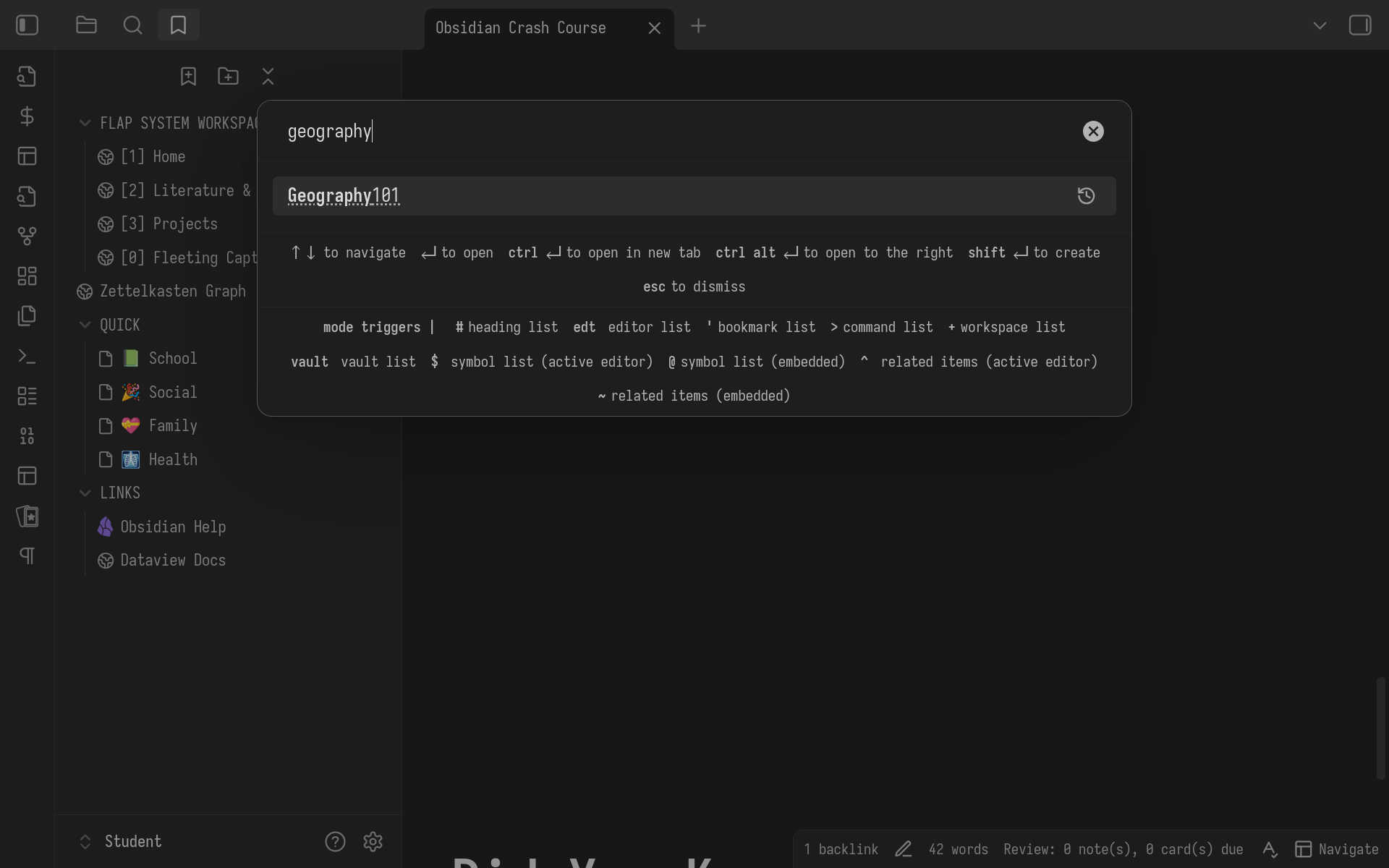
The first thing you should train yourself to do when looking for a note in obsidian is to hit ctrl/cmd o, which opens up the quickswitcher.
It fuzzyfinds based on file name - Even if you don't know the full name, try a few words that you remember, it'll usually suggest what you want.
And if the file doesn't exist, hit enter, and you'll create a note with the name you were searching for.
Definitely install the quickswitcher ++ plugin (that's what I'm using here), this replaces the existing quickswitcher with one that can search through headings, links, backlinks and loads more.
FEATURES FOR STUDENTS
## Pretty LaTeX Notation
$ 1+2+3+\cdots+10=\sum_{n=1}^{10}n $
## Markdown Tables

| F0  | F1  | F2  | F3  | F4  | F5  |
| --- | --- | --- | --- | --- | --- |
| 0   | 1   | 1   | 2   | 3   | 5   |
First 5 Fibonacci Numbers
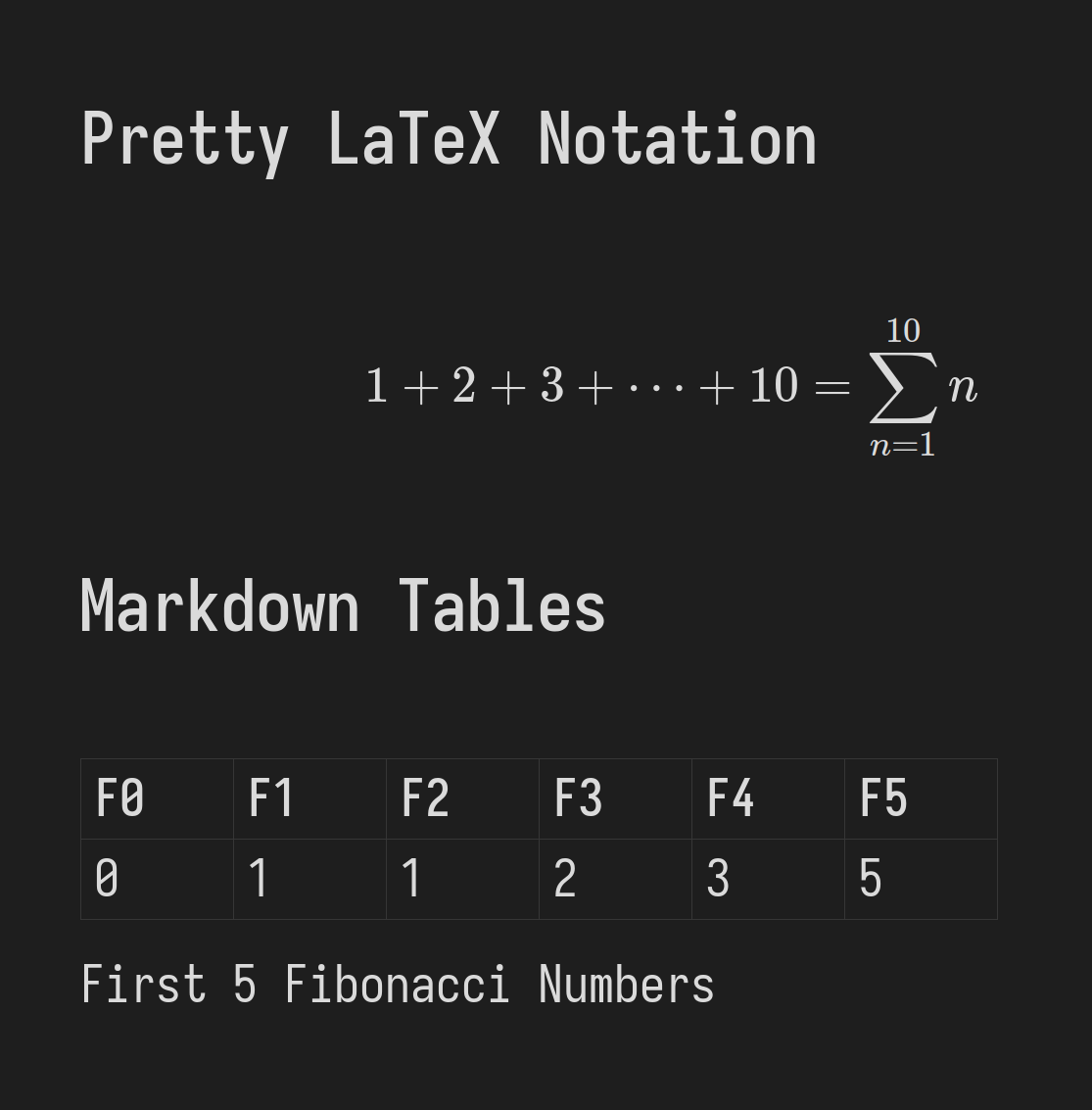
Obsidian comes with support for advanced LaTeX (and Typst) notation and easy Markdown tables, perfect for writing reports of all kinds.
MICE ARE ALLERGIC TO OBSIDIAN
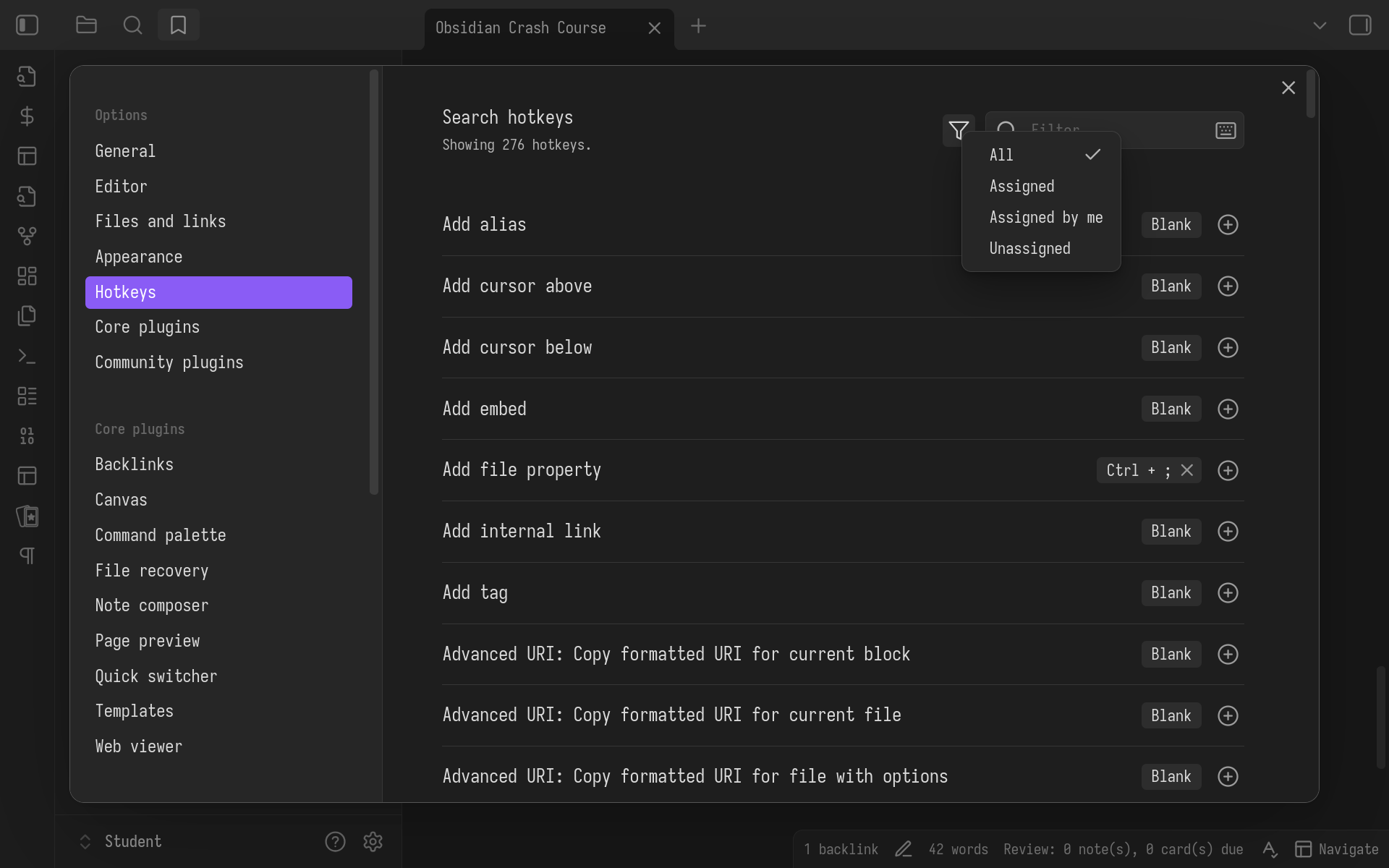
It's true!
By which I mean, Obsidian is designed around hotkeys, which are essential when you're trying to keep up with a fast-talking lecturer, or it's 11pm and the paper (or youtube video) is due tomorrow!
Obsidian is built around the command palette, c-p, and every single command can be mapped to a hotkey in the settings.
PLUGINS FOR CONSOLE COWBOYS
Breadcrumbs- Navigate through notes by parent, sibling, child ontology links
Commander- Build your own commands
Vimrc Support- Enables native clipboard
Vimium- Click anything on screen without using your mouse
Built-in Vim Mode (See My video for why)[4:1]SpacekeysVim Yank HighlightImproved Vim Cursor
Just as an example, here are a few of the 80 plugins I use that help me navigate around my second brain at light speed.
Obsidian is an advanced tool, and the community has built 2630 plugins so far. Any way you want to customise it is possible, and that's the joy of having your data as plain text on your own machine - you're in control.
But you also have to put in the work.
Obsidian is perfect for me not because the developers happened to make it that way - it's perfect for me because I have customised it to fit my own brain.
If you're ready, let me show you MY system:
If all this setup is a bit overwhelming, I understand. I have compiled it all into an obsidian vault you can download and use straight away, available for anyone who supports me on my Patreon.
It's just me running this channel, and I'm so grateful to everyone for supporting me on this wild adventure.
If you'd like to see and give feedback on my videos up to a week early, as well as get private discord access, and even your name in the credits, it would be very kind of you to check my Patreon.
I'm also offering a limited number of mentoring slots. If you'd like 1:1 tuition on Obsidian, personal organisation, web programming, creative production, or anything that I talk about in my videos, do sign up and let's chat!
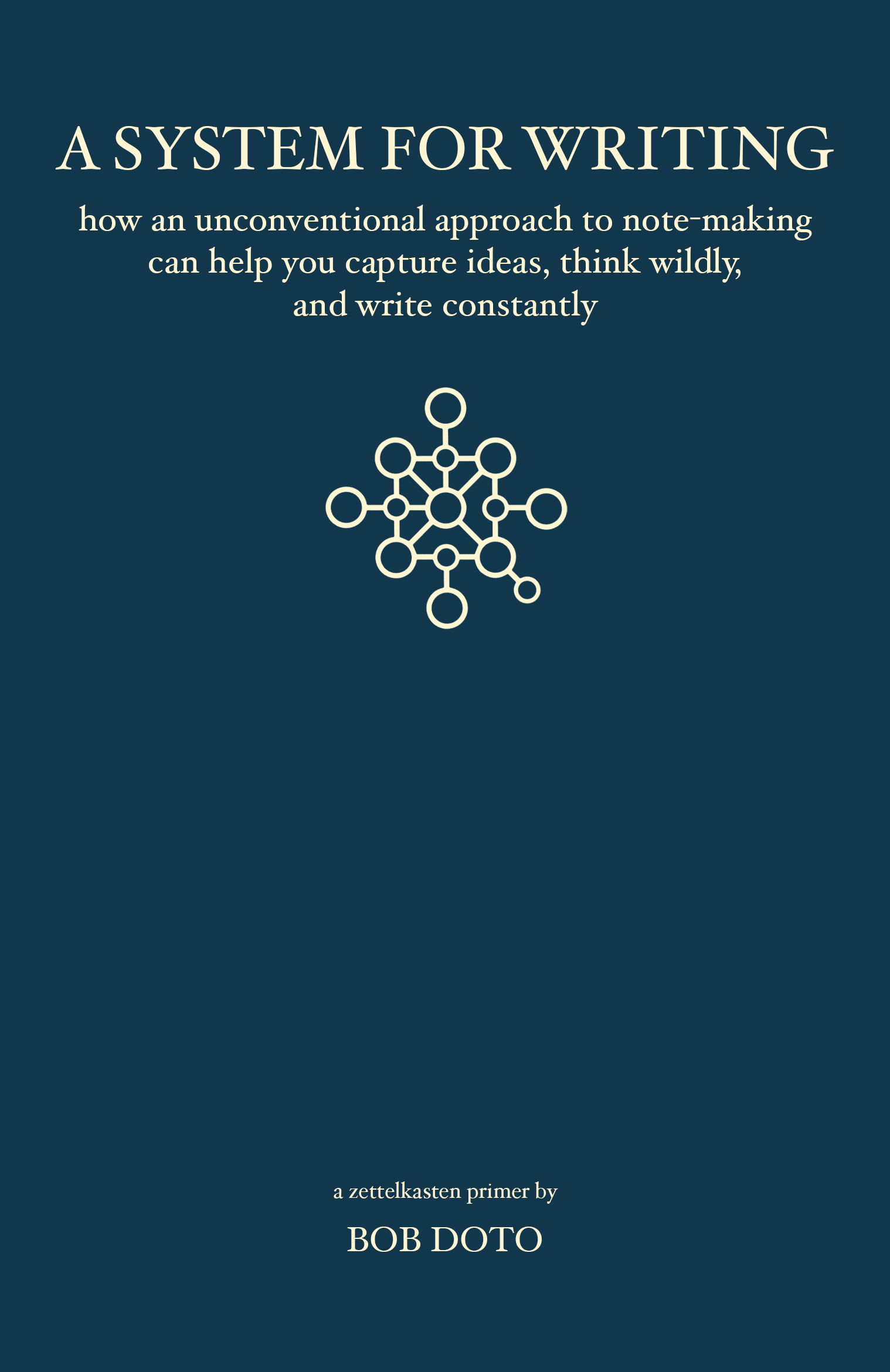
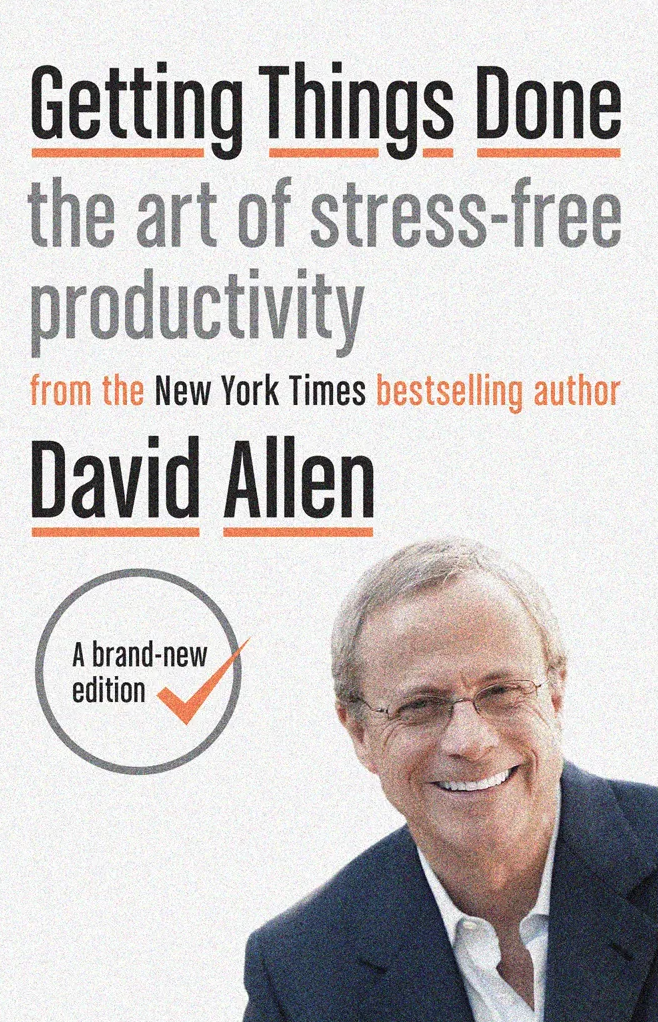
Two existing frameworks have principly informed my system:
- Zettelkasten, a system for building and using your linked knowledge,
- GTD, a lightweight task and project management system
I have spent the last 5 years distilling, evolving, and experimenting with my obsidian vault.
I have simplified and integrated both these techniques into what I'm unfortunately calling, "The FLAP system".
The FLAP System
Fleeting, Literature, Atomic, Projects
flowchart TD
    A@{ shape: database, label: "Atomic Notes" }
    F@{ shape: card, label: "Fleeting Notes" }
    L@{ shape: card, label: "Literature Notes" }
    P@{ shape: processes, label: "Projects" }

    subgraph FLAP
        L |Reference from| A
        F |Process Into| A
        A |Compose Into| P
    end

    P |Write| X@{ shape: documents, label: "Essays" }
    P |Write| Y@{ shape: documents, label: "Dissertations" }
    P |Write| Z@{ shape: documents, label: "Exam Revision" }
    P |Think| ZZ@{ shape: documents, label: "Ideas" }
The system has 3 parts. In short:
- CAPTURE: Take notes on Lectures, Literature, and your own Fleeting thoughts.
- PROCESS: Use these to write an interlinked network of Atomic notes in your own words.
- WRITE: Compose clusters of Atomic Notes into Essay outlines, Exam revision or all kinds of writing and thinking with a lightweight Project management system that I can scale from 1 to 1000 ongoing projects.
Today we will focus on the inputs to this system.
PART 1: CAPTURE
Tris, you have to make notes.
I know you think you can get by with just attending lectures and absorbing the information like you always have.
I don't blame you; I thought that worked for a while too, but it won't scale.
Your job right now isn't JUST to learn to pass exams, it's also LEARNING TO LEARN.
If you coast through school, as I did, relying on your smarts, you will have missed picking up this key skill, and it's annoying to learn later, when your smarts run out.
So many of our friends, colleagues, and acquaintances say the same: "Everything seemed easy until suddenly it wasn't".
The biggest cause of this for us was skipping learning to learn, and only learning for tests.
But in doing that, I missed preparing for The Real Test.
What is The Real Test? Well, According to John Green:
THE TEST
-
The Testwill measure whether you are an informed, engaged, and productive citizen of the world -
The Testwill judge your ability to think -
The Testwill last your entire life -
EVERYTHING WILL BE ON IT
John Green, Crash Course World History[7]
"The test will measure whether you are an informed, engaged, and productive citizen of the world, and it will take place in schools and bars and hospitals and dorm rooms and in places of worship. You will be tested on first dates, in job interviews, while watching football, and while scrolling through your Twitter feed.
The test will judge your ability to think about things other than celebrity marriages, whether you’ll be easily persuaded by empty political rhetoric, and whether you’ll be able to place your life and your community in a broader context.
The test will last your entire life, and it will be comprised of the millions of decisions that, when taken together, make your life yours.
And everything - everything - will be on it. I know, right? So pay attention."
Fortunately, passing John Green's Test is simple, if not easy, and it all starts with note-taking.
NOTE-TAKING
Note-Taking is the input to your digital second brain, an augmentation of your eyes and ears and working memory for when you exceed the capacity of your biological first brain.
There are three types of notes I will teach you today, though you may discover more, and they're all actually designed for the same purpose:
LECTURE NOTES
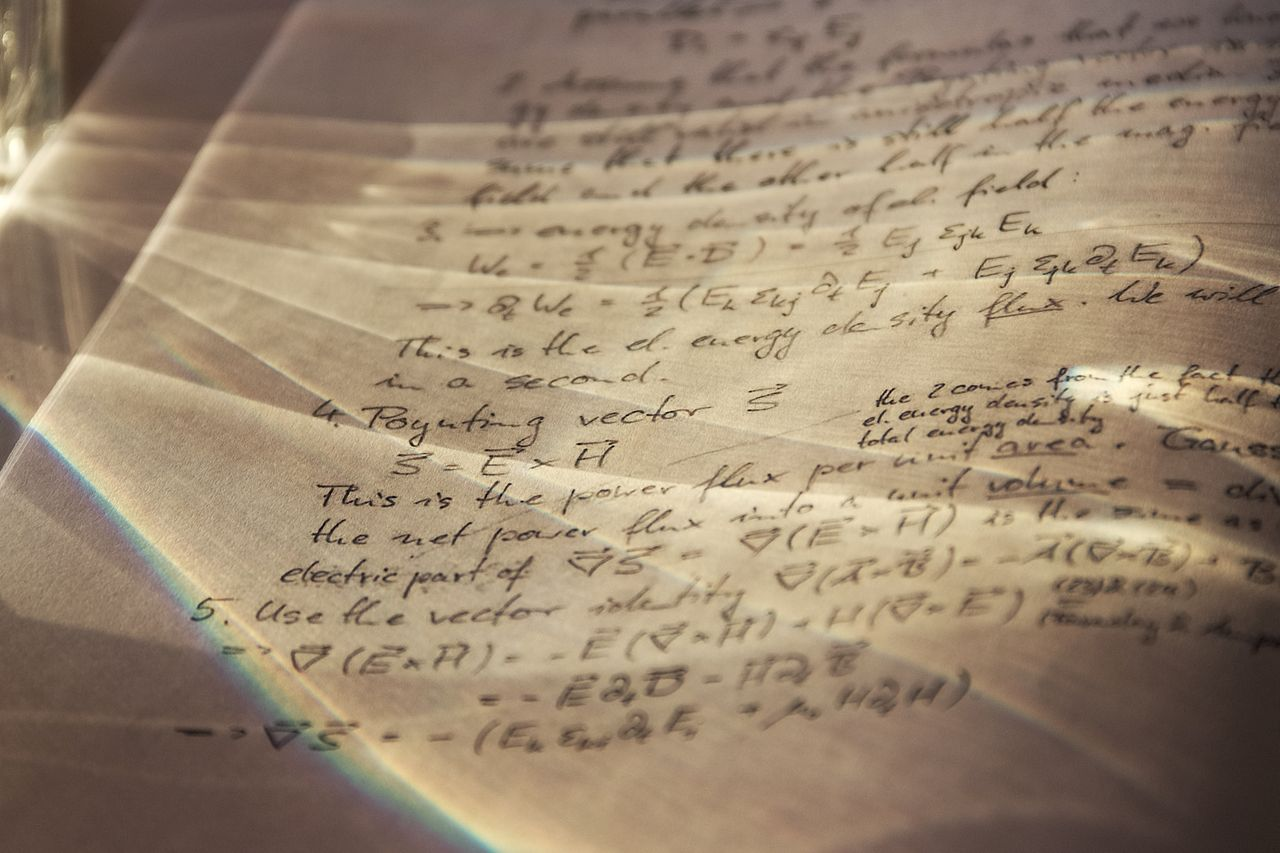
This is the kind of note-taking most students are familiar with - taking notes in class.
You listen to the teacher, and write down the facts and figures that seem most important.
There's a reason their use is so widespread: Writing down what we have heard re-enforces the lesson, and aids memory.
It's a good start, but all too often, this is where learning finishes. We'll get on to how to process these notes in part 2, but next up are:
LITERATURE NOTES

Another classic of education, especially at college level, that you may be familiar with - highlighting in textbooks, PDFs, or websites.
(I know you've never read a text book in your life, Past Tris, but you should really try it!)
When taking Literature Notes, you read through the course book, guidelines, handbook, legal cases or whatever it is that you are studying, and make highlights or copy and paste critical sections that you know are significant, in the hope that this will stick them in your brain.
It won't, but this process is a vital start.
FLEETING NOTES
Alan Watts, on Meditation
Now we're getting to the good stuff that you haven't heard of yet, despite EVERYONE using fleeting notes.
- Notes scrawled on scraps of paper or the back of envelopes or messaged or emails to yourself
- Reminders
- Shopping lists
These are all examples of fleeting notes.
What makes a fleeting note fleeting is that once it has helped you remember something, you throw it away or delete it, they're supposed to be temporary;
As Alan Watts says, Don't drag the raft with you after you have crossed the river with it.
THE RADIO
OF YOUR MIND
The way to think about fleeting notes is that they are highlights from the live radio broadcast that is your internal monologue and thoughts.
The DJ plays an eclectic mix of hits and flops, highs and lows, the manic and the depressive.
It's difficult to predict when she'll put on a banger of a new track that will make you feel fantastic, or if she'll re-tell the story about how you called the teacher "Mum" in school that one time.
(Don't worry, Past Tris, your secret is safe with me and 290k of my closest friends.)
If you have been doing your job right and consuming high-quality media, such as: books, films, videogames, and videos, you will begin to be visited by IDEAS.
TYPES OF IDEAS:
- New ideas
- Existing ideas
- Blends of other ideas
COD Manifesto[8]
Most of these ideas will be one of three kinds, in my experience:
- New ideas
- Existing Ideas
- Blends of other ideas
The very first thing you must do with these is CAPTURE them safely.
If you feel like your head is bursting with thoughts, but they never get realised, you might be missing this step.
This is the most important feature of notes of any kind: Capturing ideas, tasks, and information.
At first, it's critical to capture but not do.
This is so vital, I've given it a name:
THE TEMPORAL CONTRACT
flowchart LR
    A[PAST SELF] |Write Notes| B
    B[PRESENT SELF] |Write Notes| C[FUTURE SELF]
(Fancy, right?)
Fancy, right?
The Temporal Contract is between you and your self yesterday, and your self tomorrow.
It has the potential to triple your powers as you can recruit help from your past AND future selves, instead of going it alone today.
You must only do two simple things to fulfil your obligations to your past self and your future self:
- You must store all fleeting notes safely in a single trusted system
- Every day you must read yesterday's fleeting notes.
I say read not do.
I ignore things my past self wants me to do all the time!
(Yes, I am talking about YOU, past Tris, your ideas are weird.)
But just like the Victorian notion that a gentleman need not KNOW Latin, but he must have at least FORGOTTEN it,
YOU do not need to do what your past self asks, but you must have at least READ it.
If it doesn't vibe with you when you first read it, keep it in the list, read it again tomorrow.
Each day you prime your unconscious with these thoughts, and eventually, you might find where they should take you.
HIGHLIGHTS CAPTURING
ESSENTIAL PLUGINS:
- Readwise Integration
- QuickAdd
- Spaced Repetition
SO, enough theory, let's implement this capture process in Obsidian.
Most of the features we'll be using are built-in, but we'll be using the following extra plugins, so install them from Community Plugins inside Obsidian settings:
- The Readwise Pugin for capturing literature notes from books, videos, podcasts, webpages - everywhere
- The QuickAdd Plugin for capturing our fleeting thoughts, from anywhere within Obsidian
- The Spaced Repetition plugin not just for learning, but also for resurfacing snoozed fleeting notes
READWISE INTEGRATION
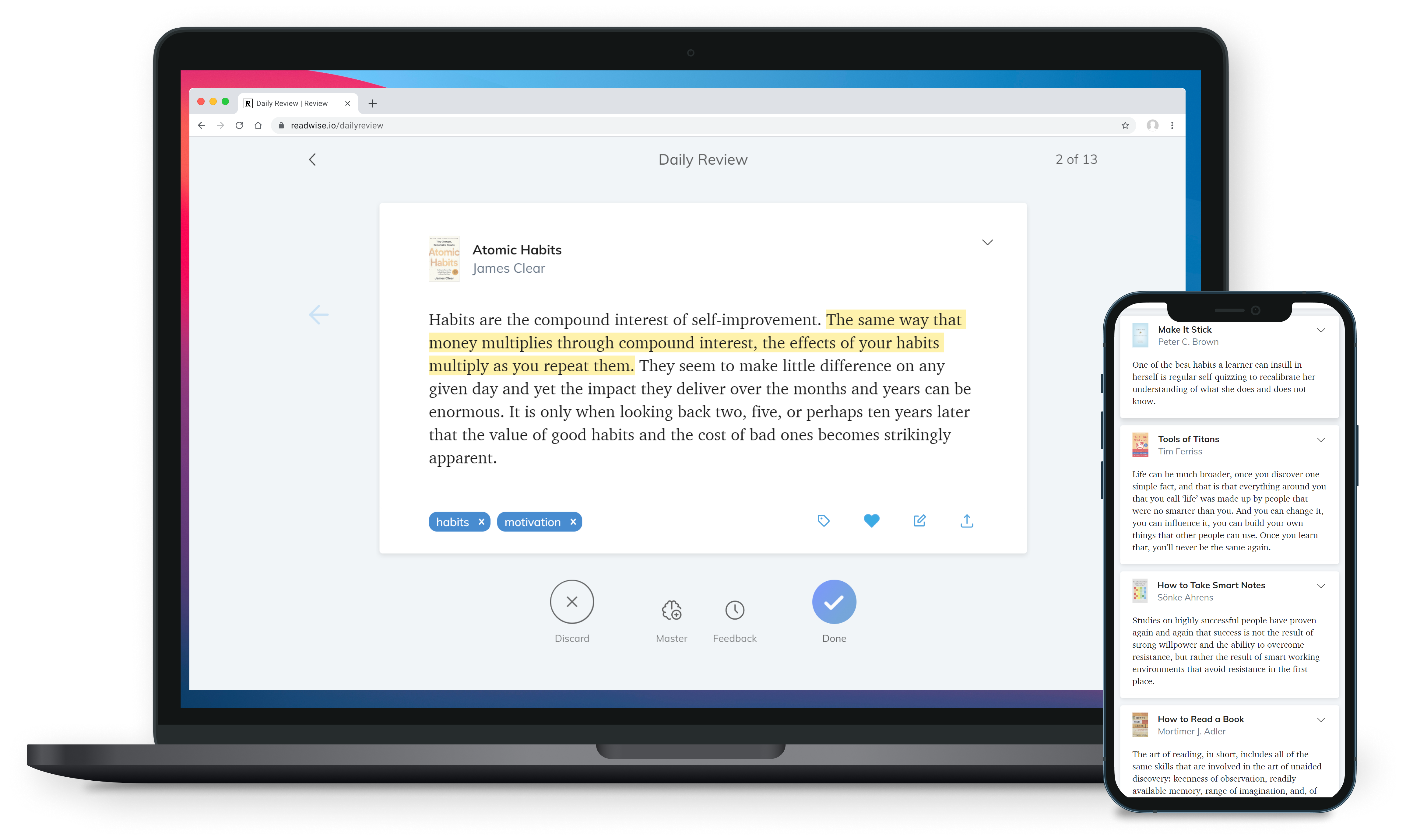
(other brands are available)
"How I Capture & PROCESS using Readwise & Obsidian"[9]

YouTube.com/@FromSergio
Readwise (not sponsored) has revolutionised my learning by reducing friction in the capture process to nearly zero.
It is genius piece of middleware that syncs sources of highlights, such as ebook readers, pdf clients, or web browsers, to places where you can process these highlights, such as Notion, Evernote, and most importantly for us, Obsidian.
You CAN write Literature notes without using Readwise, there are alternatives available, or you can copy and paste manually like I did for years, but its workflow is SO frictionless, and it supports SO many sources that it is well worth the small monthly fee.
My friend Sergio was the first to explain readwise in a way I understood - do check out his channel here.
READWISE READER
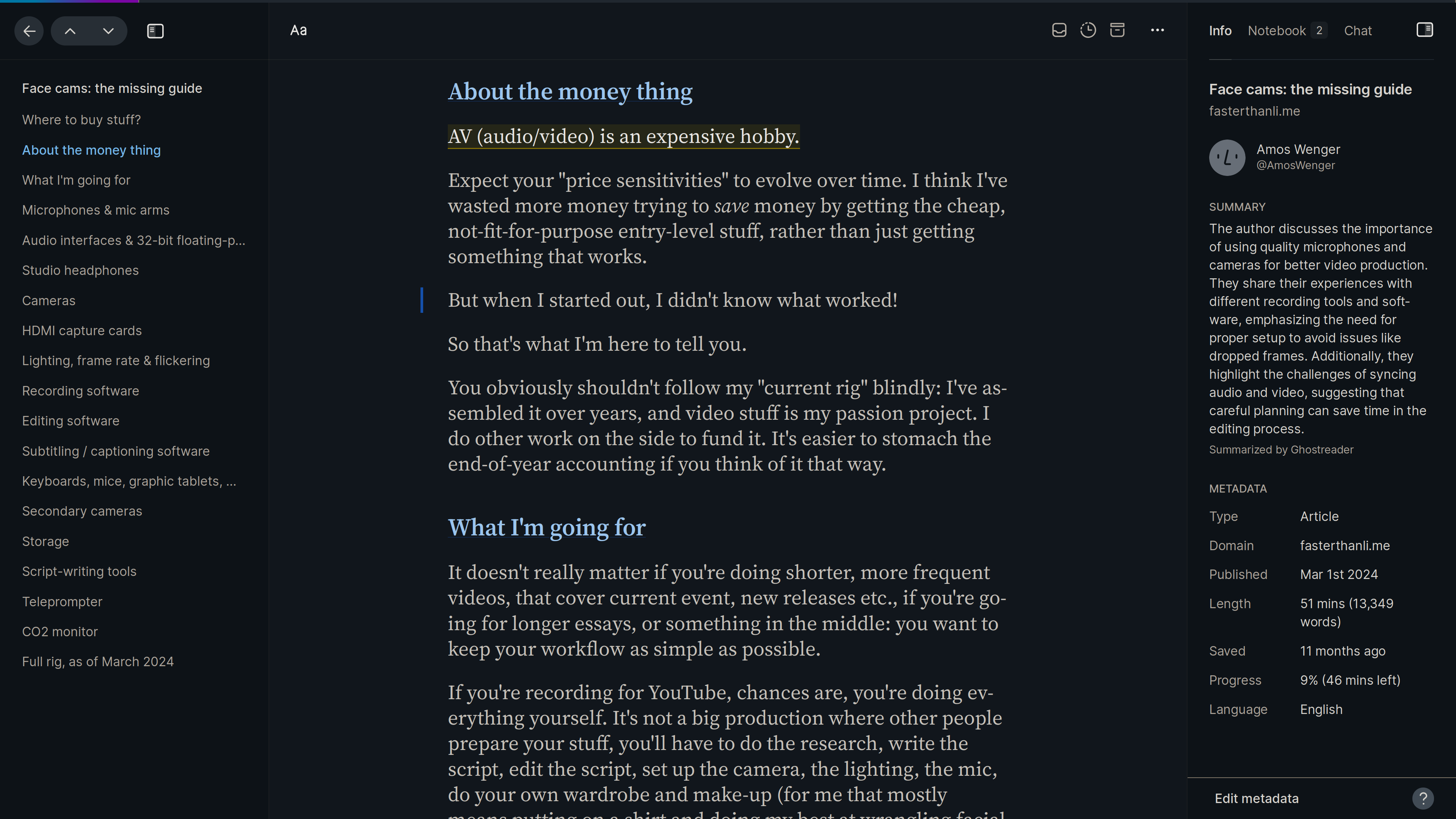
What makes Readwise so compelling for me, is the recent release of their reader app, which not only of course natively supports highlights syncing, but goes far beyond RSS and blogs, and allows you to add ebooks and reflowed pdfs, and even youtube videos ready for highlighting too.
This single app turns your phone, tablet, or browser, into the best place for focussed research.
All of your course books and primary sources should start in Readwise Reader, upload them into the app.
Don't have them in a format that can be uploaded? Sure you do! Ask your teacher, professor, or the work's author directly if they can point you to a digital version of the text.
Your guilt about pirating books you or your school already own should be zero.
CUSTOM READWISE TEMPLATE
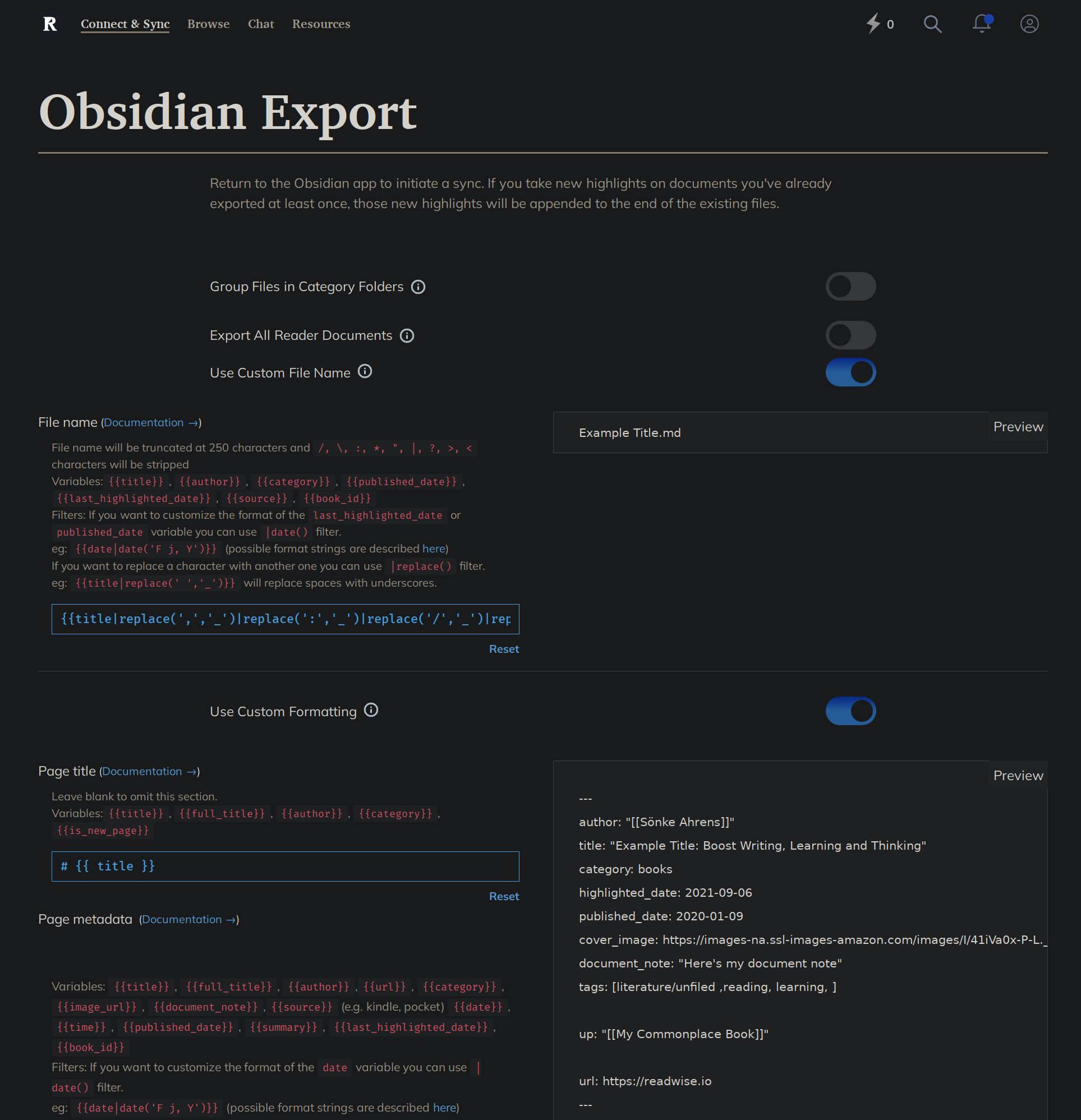
My Templates, adapted from FromSergio's, are on GitHub[10]
The default Readwise obsidian export template is good, but you will want to make the following changes:
- Tag the page with
#literature/unfiled - Make each of the highlights their own heading - this allows deep-linking using obsidian's
page#headingformat.
This now allows you to search for unprocessed literature notes by tag, process them into atomic notes, linking back directly to the highlight source, and then mark them as processed by changing the tag to #literature.
If you ever alter the format of the readwise export template, and want to update your existing notes, you can do so by deleting the files in obsidian and re-running the sync command.
QUICKADD
---
tags:
  - fleeting
---

# References

> [!QUOTE] Original Capture
> {{VALUE}}
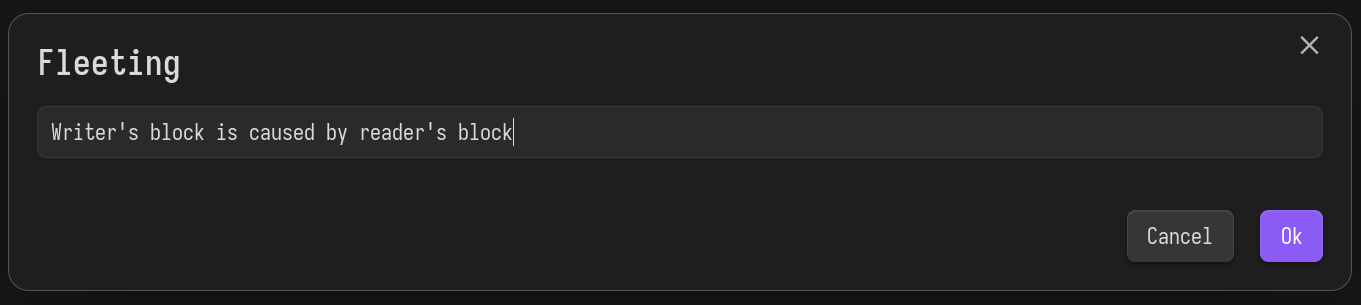
OK Past Tris: You've captured other people's knowledge and ideas using readwise everywhere, now we're going to capture your own thoughts.
Don't look at me like that, they're not all bad.
The quickadd plugin is very powerful, and is a vital part of many people's obsidian systems.
It's used for creating new notes or adding text to specific sections of existing notes, and can use obsidian's built-in templates, or the powerful Templater plugin to automate your workflow.
We are going to set it up to easily capture our fleeting thoughts into a new note with a set template.
Here is mine.
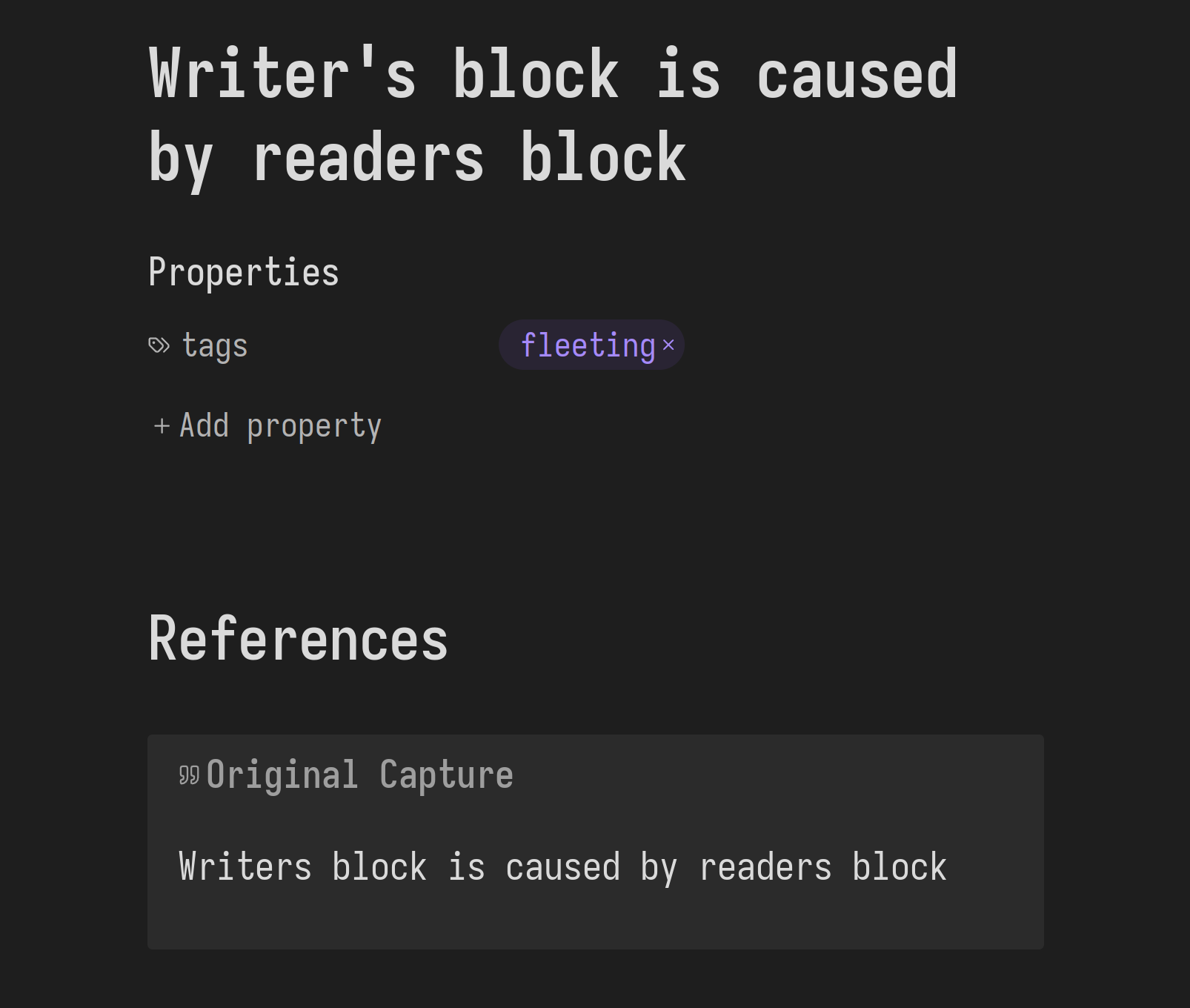
This template does two important things: tags it as a fleeting note, and adds a callout with the original wording of my fleeting thought, duplicating what is already set as the new file name.
This duplication ensures that I have a paper trail back to my original, unedited, thought, even if I later reword this fleeting note into an atomic note.
More on that processing in part 2.
I also use the Telegram and REST API plugins to capture fleeting notes. Either of these allow you to capture fleeting notes while away from obsidian, wherever you are.
So far, past Tris, you might be unimpressed.
My advice, though hinting at greatness, has been quite similar to existing note-taking recommendations.
This is because most advice stops here - in the input of the system.
It's easy to mistake note-TAKING with note MAKING, or knowledge gathering with understanding.
It's a vital start, certainly, but you must keep going.
Start setting up these capture processes today, and by the time you need to process them, you will be ready for the part 2 of this video, coming in a month or so.
Your homework till then is to read all of A System for Writing, by Bob Doto (it's really short!), and the first few chapters of Getting Things Done, by David Allen (that's all you need!).
SEE YOU IN PART 2!
THANK YOU
To all my patrons, you make this possible!
let producers: [&str; 0] = [];
let sponsors = [
	"Jaycee", "Ything LLC", "PotatoScream"
];
let patrons: [&str; 1267];
I'd be very grateful for your support on:
Footnotes
https://www.youtube.com/watch?v=P0cKq2-PMxA buy the track here: https://johncallaghan.bandcamp.com/track/let-the-path-grow-over ↩︎
https://github.com/Vinzent03/obsidian-shortcuts-for-starred-files ↩︎
https://medium.com/@bre/the-cult-of-done-manifesto-724ca1c2ff13 ↩︎
https://gist.github.com/0atman/29daa5676a39388006e6c2e73e60f479 ↩︎